Implement Configuration
The implement configuration allows you to customize and control various settings related to the implement you're using.
This typically includes selecting the specific implement, adjusting gain settings for optimal performance, configuring dimensions, and choosing the speed source.
To configure an implement, in the Configurations menu, select Implement configuration.
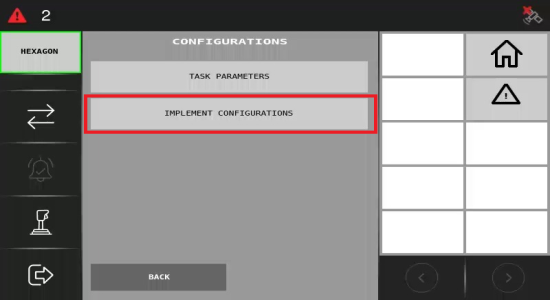
You will be taken to a screen where you can choose an implement, or set gain adjustment, dimensions, and a speed source.
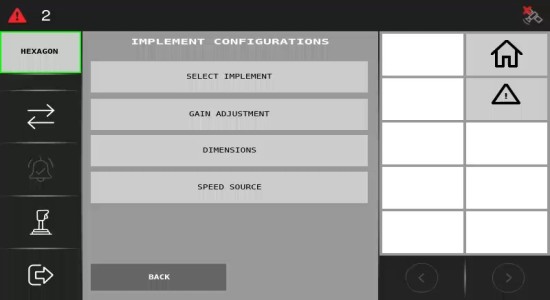
Selecting the Implement
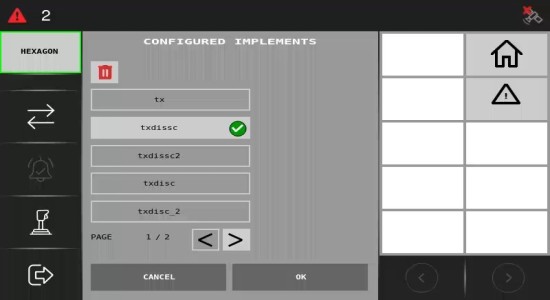
Click Select Implement to choose an implement from the available options.
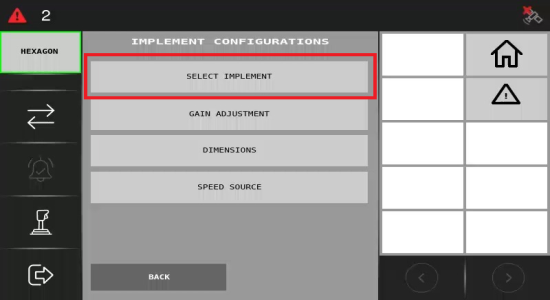
On this screen, you'll see a list of all configured implements. Once you click the one you want to select, it will turn green. Press OK to confirm your choice. Please be aware that this will cause the ECU to restart automatically.
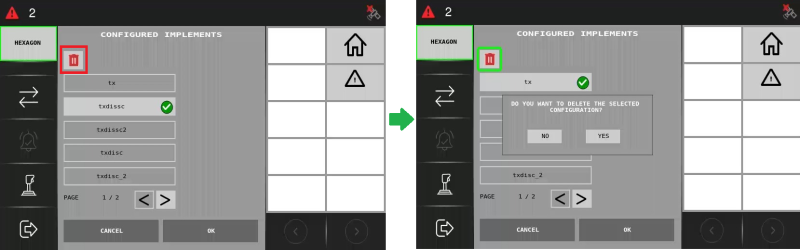
Deleting an Implement
To delete an implement, select it and click the trash can icon. A pop-up message will prompt you to confirm the deletion. Click Yes to proceed.